As Amazon Associates, we earn from qualifying purchases. This means we may receive a small commission at no extra cost to you if you click through and make a purchase.

Professional workgroups, administrative departments, and growing enterprises often face productivity roadblocks when handling multi-page agreements, promotional collateral, and intake records on standard hardware. The HP OfficeJet Pro 9125e directly solves these operational bottlenecks by providing rapid output, automated paper feeding, and integrated network protection in a single desktop footprint. Investing in an hp 9125e all in one printer gives a busy team the ability to produce high-volume color documentation and digitize double-sided records without relying on outside print vendors or commercial copy centers.
Our thorough analysis of the manufacturer specifications and functional design indicates that this multifunction inkjet unit serves as a dependable office workhorse. With fast black-and-white output, full duplex handling, and enterprise-grade data protection, the hardware easily handles rigorous administrative schedules. For teams seeking a balance of color fidelity and document automation, it provides strong day-to-day utility, provided your organization operates comfortably within an ecosystem requiring authentic manufacturer supplies.
01 Quick Verdict
The HP OfficeJet Pro 9125e stands out as an efficient, business-centric multifunction device engineered to maintain document momentum across demanding work environments. By combining high print speeds with an automated dual-pass document feeder and customizable network protection, it fulfills the operational requirements of an active workplace while minimizing manual intervention.
- Output rates reaching up to 22 pages per minute for monochrome and 18 pages per minute for color files.
- Automated double-sided printing and dual-pass duplex scanning via a dedicated automatic document feeder.
- Integrated HP Wolf Pro Security suite offering customizable network protection against unauthorized access and digital threats.
- User-friendly 2.7-inch color touchscreen display paired with self-healing dual-band wireless connectivity.
02 HP OfficeJet Pro 9125e Features Explained
01 Print Speed and Output Velocity
Document turnaround time directly influences workplace efficiency, especially during deadline-driven review cycles and client presentations. The hp 9125e print speed delivers up to 22 pages per minute in black and up to 18 pages per minute in color, allowing teams to generate lengthy proposals, multi-sheet reports, and visual marketing assets without prolonged queue delays. Monochrome copying speeds maintain this rapid pace at up to 21 pages per minute, ensuring that physical duplications finish nearly as fast as primary print jobs.
While compact desktop units like the entry-level hp deskjet 2755 printer suit occasional personal notes, the 9125e operates on an elevated commercial tier designed for sustained batch production. The underlying thermal inkjet engine balances rapid mechanical paper transit with crisp text rendering, keeping everyday administrative files looking sharp, legible, and presentable for internal distribution and client meetings alike.
02 Automated Duplex Handling and Scanning
Managing multi-page double-sided documents is often frustrating when manual sheet flipping is required. The hp 9125e duplex scanning architecture eliminates this friction through an integrated automatic document feeder utilizing a dual-pass scanning mechanism. Combined with easy slide-off platen glass, the scanner allows staff to digitize, duplicate, or fax double-sided client packets, receipts, and identification cards smoothly and without misfeeds.
Automatic two-sided printing further optimizes operational expenses by halving paper consumption across routine draft runs, internal memos, and legal documentation. The machine supports automated copy runs of up to 99 copies per batch, allowing team members to execute bulk document replication tasks without constantly supervising the output tray.
03 HP Wolf Pro Security and Network Defense
Shared peripheral hardware often represents an overlooked vulnerability within corporate data infrastructures. Built-in hp wolf pro security 9125e technology provides an embedded suite of customizable utilities engineered to safeguard the hardware against malware, firmware tampering, and network eavesdropping. This protective layer continuously monitors the device’s operational environment, helping administrators maintain strict corporate compliance and prevent unauthorized network intrusions.
To complement this data defense layer, the machine integrates reliable dual-band Wi-Fi connectivity that automatically detects signal degradation and resolves connection conflicts. This self-healing wireless architecture ensures uninterrupted availability for teams utilizing desktop PCs, corporate laptops, and personal mobile devices across varied network segments.
04 AI-Assisted Layouts and Mobile Management
Formatting inconsistencies frequently lead to wasted paper and misaligned physical prints when pulling content from online portals or email threads. The integrated HP AI system evaluates web pages and digital messages before printing, automatically stripping away extraneous navigation banners and unwanted elements to ensure a clean, properly proportioned layout on plain paper media.
Everyday operation is streamlined through the HP App, which gives users full control over printing, scanning, copying, and mobile faxing directly from smartphones, tablets, or personal computers. On the machine itself, a 2.7-inch color touchscreen running an Android-based controller interface offers familiar, phone-like navigation through configuration menus, job queues, and maintenance routines.
05 Paper Capacity and Cartridge Ecosystem
Administrative efficiency requires minimal interruptions for paper loading during busy working hours. The single internal paper tray accommodates up to 250 sheets of plain paper, providing ample capacity for typical office runs before requiring restocking. The hardware is constructed with environmental sustainability in mind, incorporating more than 40 percent recycled plastic into its physical housing.
The unit relies on four discrete ink cartridges (black, cyan, magenta, and yellow) and includes a three-month trial of the Instant Ink delivery service upon HP+ activation. Prospective buyers should be aware that the hardware incorporates dynamic security measures: it functions exclusively with cartridges containing an authentic HP chip or circuitry. The printer will actively block supplies that use non-HP chips, and periodic automated firmware updates are deployed to maintain the enforcement of these cartridge restrictions over time.
03 Specs
| Attribute | Detail |
|---|---|
| Printer Type | Color Inkjet Multifunction |
| Functions | Print, scan, copy, fax |
| Print Speed | Up to 22 ppm black, up to 18 ppm color |
| Copy Speed | Up to 21 ppm black and white |
| Duplex Capabilities | Auto 2-sided printing, dual-pass 2-sided ADF scanning |
| Paper Input Capacity | 250-sheet input tray (1 tray total) |
| Display Interface | 2.7-inch color touchscreen |
| Security Suite | HP Wolf Pro Security |
| Dimensions & Weight | 13.48″D x 17.3″W x 10.94″H; 22.3 pounds |
| Controller & Connectivity | Android controller; dual-band Wi-Fi, HP App |
04 HP OfficeJet Pro 9125e Pros and Cons
Pros
- Fast 22 ppm black output
- Dual-pass automatic duplex scanning
- Generous 250-sheet input tray
- Built-in HP Wolf Pro Security
- Self-healing dual-band Wi-Fi
Cons
- Blocks non-HP chipped cartridges
- Dual-pass rather than single-pass scanning
- Heavier footprint at 22.3 pounds
05 Best Use Cases
- Producing full-color office collateral, such as marketing brochures, corporate flyers, and client presentations, that demand consistent color rendering.
- Digitizing two-sided administrative contracts, onboarding forms, and medical records through the automated dual-pass feeder.
- Handling shared document workflows across mixed device environments where staff submit print jobs via laptops, PCs, and smartphones.
- Executing high-volume monochrome copy jobs up to 99 pages without pausing to reload paper thanks to the 250-sheet tray.
06 Before You Buy
Before proceeding with the hp officejet pro 9125e setup, confirm that your workplace IT policies align with the manufacturer’s operational prerequisites. The printer comes with a one-year limited hardware warranty, which can be extended to two years upon enrollment in the HP+ program during setup. Activation of HP+ also activates the included three-month Instant Ink trial, after which a recurring monthly subscription fee applies unless cancelled. Additionally, dynamic security firmware actively restricts ink replacement to cartridges with authentic HP circuitry. If your procurement strategy relies on third-party remanufactured cartridges, or if your organization prefers a refillable reservoir system like the epson ecotank et-2800 wireless color all-in-one supertank printer, this hardware may not align with your operational model.
It is equally critical to review the specific physical and media limitations noted in the listing data. The unit weighs 22.3 pounds and occupies a footprint of 13.48 by 17.3 inches, requiring a sturdy, dedicated desk or credenza surface. While plain paper is explicitly supported, the listing does not specify compatibility with specialty heavy cardstocks or high-gloss photographic media, nor does it detail the maximum monthly duty cycle or optical scanner resolution. Organizations with highly specialized media requirements should verify these exact thresholds against technical documentation prior to deployment.
07 How It Compares With Similar Picks
| Product | Best For | Key Difference |
|---|---|---|
| HP OfficeJet Pro 9125e | Busy office workflows | 22 ppm black speed, 250-sheet tray, dual-pass duplex ADF, HP Wolf Pro Security |
| Best-for-home | Light home office tasks | Features a smaller 1.8-inch display, Alexa voice support, and print/scan/copy functions |
| High-volume ink efficiency | Refillable tank system with compact desktop design for print, copy, and scan | |
| Canon PIXMA TR7120 Wireless Color | Compact home document stations | White exterior finish, auto document feeder, and streamlined control panel |
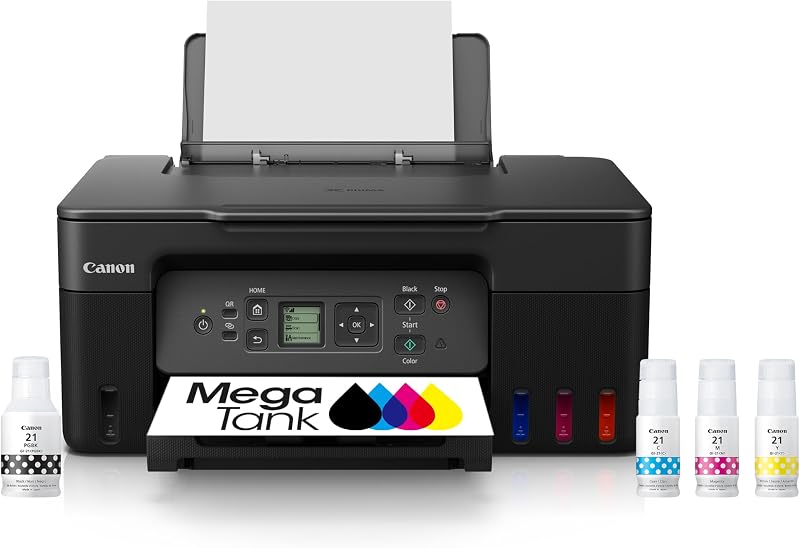
Deciding between these units depends primarily on your document volume, ink delivery preferences, and security requirements. For users seeking to minimize ongoing consumable upkeep through continuous ink reservoirs, the Print Canon MegaTank G3270 provides an appealing refillable alternative, though it lacks the advanced enterprise security features found here. For lower-volume home environments requiring voice integration or simple photo handling, the Best-for-home Brother Work Smart 1360 or the lifestyle-focused hp7955e all in one printer present smaller, simpler desktop alternatives. However, for collaborative business settings requiring rapid duplex document digitizing, robust physical sheet capacity, and monitored network defense, the HP OfficeJet Pro 9125e remains the most capable administrative choice.

08 Bottom Line
When assessing whether the machine represents a sound business investment, evaluating the hp officejet pro 9125e for office tasks shows that it delivers tangible speed, capacity, and workflow automation. Its dual-pass automatic document feeder, 22 page-per-minute monochrome speed, and 250-sheet tray ensure that day-to-day administrative paperwork proceeds without disruptive delays or tedious manual flipping.
So, is hp officejet pro 9125e worth it for your team? If your workplace requires automated two-sided handling, robust digital network protection, and crisp professional color printing, the machine proves to be a dependable, high-utility asset that easily justifies its place in an active office environment.
09 FAQ
Does the HP OfficeJet Pro 9125e support single-pass or dual-pass two-sided scanning?
The printer utilizes a dual-pass two-sided automatic document feeder. When scanning or copying double-sided originals, the mechanism feeds the sheet through the scanner, reverses it, and scans the reverse side before completing the digital capture or duplicate run.
Can I use third-party or remanufactured ink cartridges with this printer?
No. The hardware is engineered to operate exclusively with cartridges featuring genuine HP chips or circuitry. The unit incorporates dynamic security measures that actively reject cartridges equipped with non-HP circuitry, and periodic firmware updates deployed over the network will maintain these cartridge restrictions.
What devices can connect to this hp 9125e wireless all in one?
The printer is compatible with a wide array of office hardware, including Windows and macOS personal computers, corporate laptops, and mobile devices such as smartphones and tablets running on Android or iOS. Setup and mobile job routing are managed through the dedicated HP App.
How does HP Wolf Pro Security protect the printer on a business network?
Built-in HP Wolf Pro Security provides an integrated suite of customizable tools designed to protect the printer from malware, unauthorized configuration changes, and cyber threats. It continuously safeguards firmware integrity and defends the local network against unauthorized peripheral access.
What is the maximum paper input capacity of the main tray?
The internal input tray holds up to 250 sheets of plain paper. This single-tray capacity allows busy workgroups to complete extended print and copy runs without needing to frequently restock the paper supply.