As Amazon Associates, we earn from qualifying purchases. This means we may receive a small commission at no extra cost to you if you click through and make a purchase.

Busy professionals managing home offices, personal creative projects, or small business organization often struggle with oversized craft equipment that dominates valuable workspace and requires complicated setup. Crafting custom organizational labels, branded decals, or greeting cards should not necessitate a dedicated studio room or an intimidating technical learning curve. A compact vinyl cutting machine bridges this divide by providing rapid, precise automated cutting in a form factor small enough to slide onto a standard bookshelf or desk corner. For those seeking an all-in-one package that cuts setup time, the Cricut Joy 2 aims to solve this workflow bottleneck directly out of the box with bundled materials and straightforward digital controls.
Our cricut joy 2 review evaluates whether the complete bundle genuinely satisfies the demands of time-conscious users who value speed, consistency, and spatial efficiency. If you require an agile device for small-scale projects like custom pantry labels, planner stickers, and personalized cards, the included assortment of supplies eliminates the friction of sourcing compatible media separately. However, creators demanding wide-format banner production or heavy-duty industrial fabrication may quickly encounter the physical boundaries of the 4.5-inch active cutting width. Ultimately, this starter package offers an immediate, productive entry point for compact digital crafting without cluttering your environment.
01 Quick Verdict
The Cricut Joy 2 stands out as an exceptional desktop companion for professionals who want fast labeling, decal creation, and card making without the footprint of heavy crafting hardware. Its seamless integration with standard home inkjet printers brings full-color sticker capability to a remarkably lightweight, portable platform.
- Ultra-lightweight construction weighing just over 2 lbs makes it effortless to store or relocate between workstations.
- Comprehensive cricut joy 2 essential bundle includes materials to complete up to 35 projects right away.
- Full-color workflow enables automated contour cutting around images printed on your home inkjet printer.
- Precision tool carriage writes, draws, foils, scores, and cuts across more than 75 compatible materials.
02 Cricut Joy 2 Features Explained
01 Ultra-Compact Desktop Footprint and Portability
Desk space remains at a premium in any modern work environment, making the physical dimensions of creative hardware a critical purchasing factor. The Cricut Joy 2 weighs just over 2 lbs (0.91 kg), positioning it among the most portable automated craft tools available. With an active surface area of 4.5 x 6.5 inches and a 4.5-inch cutting width, the machine easily sits beside a laptop or computer monitor without crowding your primary workspace. This compact footprint allows you to complete spontaneous organization or personal branding tasks without rearranging furniture or clearing dedicated craft tables.
The unit features a smooth plastic housing in a clean blue finish that integrates neatly into modern office environments. Because it requires minimal staging, you can quickly bring it out of a storage cabinet, place it on any flat surface, and pack it away the moment cutting finishes. For professionals who split time between a home workspace and an external office, the lightweight build simplifies transport. While it sacrifices the wide-cutting clearance seen on a full-sized cricut explore air 2 machine, it compensates through unmatched convenience, low weight, and rapid deployment.
02 Versatile Multi-Material Handling and Functionality
Despite its small stature, the machine is engineered to work with over 75 materials, providing remarkable versatility across common organizational and crafting workflows. The system readily handles everyday substrates such as vinyl, iron-on, cardstock, and specialized printable media. Rather than limiting users to simple single-line cuts, the automated mechanism handles intricate designs, precision curves, and small typography cleanly. This capability makes using the cricut joy 2 for labels especially effective, allowing users to fabricate custom pantry jars, storage bin identification, cable tags, and professional office signage with crisp clarity.
Beyond standard cutting, the mechanism supports multi-function processing including writing, drawing, foiling, and scoring. By swapping compatible pens or scoring attachments, you can generate handwritten-style typography on cards or score fold lines on intricate paper crafts. Whether you are generating iron-on transfers for branded work apparel or personalized note sets for business correspondence, the hardware executes multi-step actions smoothly. Those who require cutting heavy leather or wood materials would need an industrial-grade cricut maker machine, but for paper, vinyl, and cardstock tasks, the Joy 2 provides ample capability.
03 Inkjet Printer Integration for Full-Color Projects
A notable functional advancement for this compact platform is its integration with standard home inkjet printers for full-color creations. In traditional crafting, making custom colored decals often required layered vinyl or specialized commercial printing. With cricut joy 2 print then cut capability, you can design full-color graphics on your computer or mobile device, print them directly onto compatible printable vinyl via your existing inkjet printer, and feed the printed sheet into the machine. The automated sensors register the printed graphic and execute precision contour cuts around the exact edges of your artwork.
This workflow opens up practical applications for creating branded product labels, promotional stickers, vibrant packaging seals, and custom color decals without needing specialized print-and-cut commercial equipment. The listing confirms that the cutting machine automatically recognizes and precision-cuts around inkjet-printed images, ensuring clean margins and professional borders. For busy individuals seeking to prototype merchandise labels or make custom event favors quickly, this streamlined printing and cutting pipeline saves hours of manual scissor work while ensuring uniform edges.
04 Design Space Software Ecosystem and Bluetooth Connectivity
Operational speed depends heavily on software usability, and the Joy 2 interfaces directly via Bluetooth with the proprietary Design Space software. The application is compatible with smartphones, tablets, and computers, freeing you from cumbersome physical USB cables across your desk. The software environment provides step-by-step design flows, customizable pre-made templates, and access to an extensive content library. Additionally, the platform integrates AI-image generation features to assist users in transforming text prompts or initial visual ideas into production-ready vector cut files.
Because the listing emphasizes that no prior design experience is required, the onboarding process is swift even for absolute beginners. You can select an existing label layout, adjust the text, and send the job to cut within minutes. Wireless Bluetooth pairing ensures reliable data transmission across your workspace, letting you stage the machine on a side table while designing comfortably from your desk. The intuitive controls reduce downtime, making digital fabrication accessible to anyone with basic computer or mobile literacy.
05 Essential Starter Bundle and Material Value
Purchasing a digital cutting machine often leads to frustration when essential media and tools must be researched and ordered separately. The cricut joy 2 essential bundle circumvents this issue by including a curated selection of crafting tools alongside popular materials. The bundle incorporates Smart Vinyl, Smart Iron-On, Value Cardstock, Insert Card Sets, and Printable Vinyl. It also includes bonus digital content that expands the library of accessible designs. According to the manufacturer data, the bundle supplies sufficient raw material to produce up to 35 projects based on standard 4-inch by 6-inch item dimensions.
The inclusion of cricut joy 2 smart materials provides an efficient starting workflow because Smart Vinyl and Smart Iron-On can be fed into the machine with minimal preparation. This comprehensive collection allows you to explore multiple project categories—from apparel customization and vinyl decals to full-color stickers and greeting cards—immediately after opening the packaging. For a time-constrained buyer, having every necessary component on hand eliminates initial setup delays and provides immediate return on investment.
03 Specs
| Attribute | Detail |
|---|---|
| Brand | Cricut |
| Model / Part Number | 8003145 |
| Color | Blue |
| Material Type | Plastic |
| Weight | Just over 2 lbs (0.91 kg) |
| Cutting Width | 4.5 inches (11.4 cm) |
| Active Surface Area | 4.5 x 6.5 inches |
| Operation Mode | Automatic |
| Compatible Devices | Smartphones, Tablets, Computers |
| Connectivity | Bluetooth |
| Warranty | Limited Warranty |
04 Cricut Joy 2 Pros and Cons
Pros
- Weighs just over two pounds for effortless portability
- Bundled materials provide supplies for up to 35 projects
- Works with home inkjet printers for full-color stickers
- Compatible with more than 75 diverse materials
- Wireless Bluetooth connectivity with free Design Space app
Cons
- Cutting width limited to 4.5 inches
- Requires separate inkjet printer for full-color creations
- Listing does not specify exact bundled hand tool models
05 Best Use Cases
- Creating professional organization labels for home office files, kitchen pantries, and storage bins.
- Producing full-color custom stickers and decals using your home inkjet printer and printable vinyl.
- Fabricating personalized greeting cards and promotional invitations quickly using the included insert card sets.
- Customizing cotton totes, aprons, or team apparel with precision-cut Smart Iron-On graphics.
- Drafting intricate paper crafts, foiled stationery, and drawn designs on cardstock up to 4.5 inches wide.
06 Before You Buy
Before purchasing the Cricut Joy 2 bundle, review the device’s technical specifications and physical limits to ensure it fits your intended projects. The machine possesses a 4.5-inch cutting width and an active surface area of 4.5 x 6.5 inches, which means it cannot accommodate wide-format signage, large t-shirt graphics, or oversized wall decals. Digital control requires the Design Space app running on a compatible smartphone, tablet, or computer connected via Bluetooth. For full-color sticker and decal projects, you will need access to a standard home inkjet printer, as the cutting unit does not print ink itself.
It is equally important to note what the package contents do and do not include. While the listing confirms that the Essential Bundle provides Smart Vinyl, Smart Iron-On, Value Cardstock, Insert Card Sets, Printable Vinyl, bonus digital content, and essential crafting tools, the listing does not specify the exact individual hand tool models included in the box. Furthermore, the print media specification is listed as unknown in the manufacturer technical sheet, and the listing does not specify the precise length of the power adapter. Confirming these dimensions and requirements beforehand ensures the hardware aligns with your existing home or office workspace.
07 How It Compares With Similar Picks
| Product | Best For | Key Difference |
|---|---|---|
| Cricut Joy 2 | Fast digital cutting, labels, and automated full-color sticker production | Automated Bluetooth operation with 4.5-inch width, digital app control, and inkjet print-then-cut capability |
| 6inch Manual Die Cutting Machine | Manual scrapbooking, cardmaking, and basic paper craft starters | Manual hand-crank operation with a 6-inch opening, requiring physical metal dies rather than digital software |
| Manual Die Cutting Machine,Embossing Machine | Traditional embossing and tactile card crafting without digital devices | Manual mechanical press mechanism featuring a 6-inch opening packaged in a gift box |
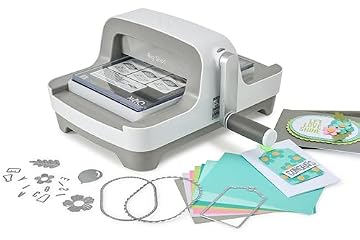
| Sizzix Big Shot Machine | Heavy-duty manual embossing and die-cutting with physical folders | Manual 6-inch roller platform including a starter kit with physical cutting dies and embossing folders |
When deciding between digital and mechanical systems, your preferred workflow dictates the right choice. If you want custom typography, on-demand digital resizing, and automated precision cuts from vector files without storing physical metal dies, the Cricut Joy 2 is the clear option. Conversely, if you prefer completely offline crafting without apps, computers, or power cords, manual roller units provide tactile operation. The 6inch Manual Die Cutting Machine offers an entry-level manual kit with beginner accessories for paper scrapbooking. For cardmakers focused strictly on pressure embossing and mechanical cutting, the Manual Die Cutting Machine,Embossing Machine presents a dedicated 6-inch opening. Meanwhile, crafters who already own a vast collection of steel-rule or wafer dies may favor the Sizzix Big Shot Machine for its classic crank-driven pressure mechanism. However, none of these manual alternatives can execute custom wireless designs, inkjet sticker alignment, or automated digital font plotting.

08 Bottom Line
The Cricut Joy 2 bundle delivers a concentrated punch of digital crafting power in a remarkably small shell. By blending Bluetooth wireless control, compatibility with over 75 materials, and automated contour cutting for inkjet prints, it removes the complexity and clutter traditionally associated with desktop fabrication. For busy professionals seeking rapid label production, personalized greeting cards, or branded merchandise accents, the system eliminates tedious manual trimming and fits seamlessly into any office or living area.
If your creative ambitions center on massive vinyl banners or heavy architectural materials, a wider, multi-tool floor unit remains necessary. But for high-frequency everyday tasks, quick organizational overhauls, and spontaneous gifting, this bundle offers everything needed to complete up to 35 projects directly upon unboxing. It stands out as an efficient, dependable, and highly capable desktop cutting tool that makes digital fabrication genuinely accessible.
09 FAQ
Is Cricut Joy 2 worth it for small home businesses and organizing?
Yes, for users who need to produce professional jar labels, packaging seals, merchandise tags, and custom decals, the machine saves substantial time compared to manual scissor cutting. Its compact footprint means you can keep it ready on your desk for immediate use whenever inventory needs labeling.
Can the Cricut Joy 2 print in color on its own?
No, the machine does not contain an internal inkjet or laser printing engine. Instead, it pairs with your existing home inkjet printer to perform precision contour cuts around full-color images that you have printed onto printable vinyl or compatible sticker media.
What materials come inside the Cricut Joy 2 essential bundle?
The bundle includes Smart Vinyl, Smart Iron-On, Value Cardstock, Insert Card Sets, Printable Vinyl, essential crafting tools, and bonus digital content. The listing indicates this assortment provides enough raw supplies to produce up to 35 average-sized projects right out of the box.
Does Cricut Joy 2 require a paid subscription to operate?
No, the machine operates using the free Cricut Design Space application, which connects via Bluetooth to your smartphone, tablet, or computer. While optional paid digital content exists, the core software provides free design flows, customizable templates, and basic project creation without mandatory monthly fees.
What is the maximum cutting width of the Cricut Joy 2?
The Cricut Joy 2 features a 4.5-inch (11.4 cm) cutting width and an active surface area of 4.5 x 6.5 inches. This width is engineered for compact, everyday items such as decals, cards, labels, and small transfers rather than wide-format banners.