As Amazon Associates, we earn from qualifying purchases. This means we may receive a small commission at no extra cost to you if you click through and make a purchase.

Small-scale production facilities and custom fabrication studios consistently battle benchtop congestion caused by maintaining separate hardware for color printing, rotary etching, and laser cutting. Consolidating full-color graphic reproduction alongside high-output laser processing addresses this operational bottleneck, allowing makers to streamline multi-stage workflows without juggling multiple machines. For studio operators, gift designers, and merchandise creators evaluating the xTool M2 Ultra, the core appeal lies in combining a 20000mW laser system with an integrated color printing module in a single Class 1 enclosed footprint.
This decisive xtool m2 ultra review finds that the hardware delivers clear efficiency advantages for batch personalization by coupling dual-camera vision alignment with unified print-and-cut execution. While high-volume manufacturing setups requiring standalone heavy industrial cutters might find a dual-purpose architecture restrictive, this hybrid system simplifies custom crafting substantially. Compared to standalone alternatives like the creality falcon a1 pro 20w, this hybrid system eliminates manual workpiece transfers between separate printers and cutters.
01 Quick Verdict
The xTool M2 Ultra is a decisive, space-saving hybrid machine engineered specifically for creative businesses that require integrated full-color CMYK printing and precise laser cutting in a certified Class 1 safe desktop enclosure.
- Unified CMYK inkjet and 20000mW diode laser architecture eliminates manual realignment errors between full-color printing and mechanical cutting steps.
- Built-in dual cameras powered by ACS motion control deliver real-time visual alignment and a dependable Place & Go workflow.
- Includes the RA3 Lite rotary tool alongside the base machine and inkjet module for immediate cylindrical and flat-surface production.
- Enclosed design with real-time safety monitoring meets Class 1 laser criteria for safe operation in shared home studios and commercial storefronts.
02 xTool M2 Ultra Features Explained
01 Hybrid CMYK Inkjet and 20W Laser Synergy
The hallmark capability of the xtool m2 cmyk inkjet setup is its ability to print vibrant graphics and immediately follow up with precise cutting in a single, uninterrupted routine. Traditional workflows require printing on a standalone desktop printer, carefully registering alignment marks, transferring the material to a laser cutter, and hoping the laser beam matches the printed artwork margins. The xTool M2 Ultra bypasses this tedious multi-step procedure entirely by lodging both an inkjet printhead and a 20000mW diode module inside the same mechanical chassis. This synchronized print-to-cut process works across more than 300 materials, spanning wood, cardstock, leather, fabric, and felt.
As an integrated xtool m2 20w laser engraver, the machine handles demanding cutting tasks through dense materials while retaining fine edge definition. The hardware is also engineered to accommodate an optional 3W infrared module, which is sold separately, allowing users to pivot between diode laser cutting, IR metal engraving, and inkjet color application. While high-speed dedicated production shops might push thousands of repetitive cuts on raw lumber, this hybrid mechanism provides small businesses with unprecedented agility when fabricating customized merchandise, packaging mockups, and vibrant home decor.
02 Dual-Camera Vision System and ACS Precision
Material waste represents a major hidden overhead in professional craft production, especially when working with pre-cut hardwood blanks, veg-tanned leather, or pre-printed items. The xtool m2 dual camera precision system directly mitigates misalignment by transmitting a real-time, distortion-corrected preview of the entire processing bay to the control software. Integrated with Makeblock’s ACS motion control framework, the dual cameras map the physical bed coordinates directly onto the digital canvas, enabling an intuitive Place & Go setup where users drop vector graphics right over visual targets.
This visual accuracy removes manual measuring calipers and test-fire alignment cycles from daily operations. Operators can arrange multiple distinct designs across irregular material scraps with reliable confidence, maximizing raw material utilization. Whether etching intricate typographic layouts onto leather wallets or contour-cutting printed stickers, the dual-camera apparatus guarantees that beam trajectories correspond exactly to visual expectations.
03 Software Ecosystem and Template Automation
Production efficiency depends heavily on the interface bridging design files and physical execution, and the xTool Studio application handles these demands cleanly. The software package incorporates an integrated AI image generator alongside hundreds of customizable, ready-to-use structural and graphic templates. This software environment lets operators draft, slice, and send complex jobs directly to the machine without needing third-party plug-ins or disjointed conversion steps.
For those researching the x tool m2 ecosystem, the software’s ability to coordinate color profiles for inkjet passes before initiating the laser toolpath is a notable technical asset. The interface simplifies parameter selection for standard materials, reducing the trial-and-error cycle typical of open-source engraving utilities. While power users who rely strictly on legacy open-source utilities may face an adaptation period, xTool Studio streamlines production for entrepreneurs prioritizing rapid turnaround times.
04 Class 1 Enclosed Safety Architecture
Operating high-output laser equipment in domestic settings, retail storefronts, or communal workshops introduces serious safety hazards regarding eye damage and airborne debris. The xTool M2 Ultra mitigates these hazards by packaging its 20W laser module inside a fully enclosed Class 1 safety housing. Real-time monitoring sensors track enclosure integrity during operation, halting processing automatically if safety thresholds are breached.
This enclosed layout provides substantial environmental protection compared to open-frame gantries, containing laser radiation and assisting in localized smoke control. For craft businesses operating in compact studios, compliance with Class 1 enclosed safety standards means production can proceed safely alongside employees, clients, or family members without mandating full-room protective eyewear installations.
03 Specs
| Attribute | Detail |
|---|---|
| Manufacturer | Makeblock Co., Ltd. |
| Model Number | MLM-K610-001 |
| Laser Output Power | 20000mW (20W) |
| Safety Rating | Class 1 Enclosed |
| Color Printing System | CMYK Inkjet Module |
| Vision System | Dual Cameras with ACS Alignment |
| Product Weight | 41.7 pounds |
| Package Dimensions | 27.5 x 24.88 x 10.75 inches |
| Included Bundle Items | M2 Basic, CMYK Inkjet, RA3 Lite Rotary |
| Manufacturer Warranty | 1 Year |
04 xTool M2 Ultra Pros and Cons
Pros
- Integrated CMYK inkjet and 20000mW laser
- Dual-camera Place & Go visual alignment
- Class 1 enclosed safety with real-time monitoring
- Bundled RA3 Lite rotary tool for curved objects
- Compatible with over 300 craft materials
Cons
- 3W infrared laser module sold separately
- Heavy 41.7-pound chassis requires dedicated space
- Listing does not specify cutting bed dimensions
05 Best Use Cases
- Fabricating full-color printed stickers and precision-cut decals directly on cardstock or synthetic films without manual registration realignment.
- Personalizing curved tumblers, mugs, and glassware using the bundled RA3 Lite rotary tool alongside the high-power 20W laser beam.
- Engraving intricate vector branding and full-color graphics onto custom leather patch goods, wallets, and textile accessories.
- Creating layered decorative wooden signage, custom puzzles, and home decor items that combine vibrant surface printing with crisp contour cuts.
- Accelerating customized gift production for retail pop-ups and online storefronts needing rapid Place & Go positioning on one-off blanks.
06 Before You Buy
Prospective buyers evaluating the xtool m2 ultra for small business operations must carefully account for physical studio footprints and workshop infrastructure. With a package weight of 41.7 pounds and external dimensions measuring 27.5 x 24.88 x 10.75 inches, this machine requires a dedicated, sturdy workbench capable of managing continuous gantry movement. The listing specifies that this package includes the M2 Basic unit, the CMYK Inkjet module, and the RA3 Lite rotary attachment, presenting a comprehensive starting bundle for multifaceted crafting. However, users seeking infrared capabilities for distinct metal marking should note that the 3W IR module is sold separately and not bundled in this package.
Additionally, while the manufacturer highlights compatibility with over 300 materials including wood, felt, leather, and cardstock, the listing does not specify the maximum internal cutting dimensions, bed depth, or the exact continuous cutting thickness for dense hardwoods. When evaluating total xtool m2 ultra cutting capacity, users who primarily cut heavy timber stock might consider high-wattage alternatives such as the xtool s1 40w for raw optical cutting performance. Furthermore, the listing does not specify the exact cubic-feet-per-minute exhaust airflow requirements or whether extra ductwork adapters are supplied in the standard box.
07 How It Compares With Similar Picks
| Product | Best For | Key Difference |
|---|---|---|
| xTool M2 Ultra | Hybrid color printing, rotary etching, and laser cutting | Combines CMYK inkjet printing, 20000mW laser, dual cameras, and RA3 Lite rotary in an enclosed Class 1 unit |
| 130 x 130mm Working Area | Ultra-compact hobby engraving on wood and acrylic | Features a smaller 130 x 130mm working area with a 2500mW output, lacking color inkjet and rotary attachments |
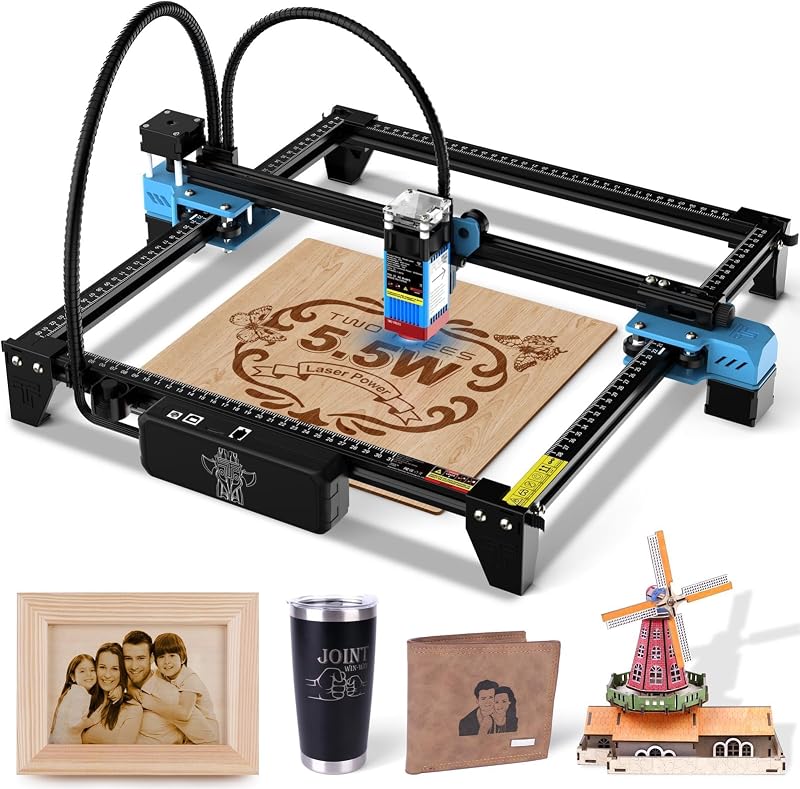
| Laser Cutter | Entry-level open-frame engraving on sheet materials | Offers an open-frame 300 x 300 mm work area with 5500mW power and a 0.08mm spot, with no enclosure or color printing |
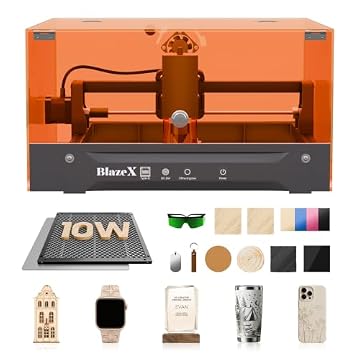
| BlazeX M3 10W Laser Engraver | Enclosed precision laser work with starter materials | Provides a 10W Class 1 enclosed setup with 0.01mm precision and honeycomb bed, but lacks hybrid CMYK inkjet printing |
When analyzing the xtool m2 vs standard laser engravers, purchasing decisions hinge entirely on whether your production line requires integrated color reproduction. Buyers focused solely on compact, low-power desktop engraving for small wood tags will find the 130 x 130mm Working Area machine adequate without managing multi-tool setups. If larger sheet engraving on glass or stainless steel is your primary concern and safety enclosures are not a priority, the open-frame Laser Cutter provides basic 5500mW functionality across a 300 x 300 mm workspace. For shops seeking enclosed Class 1 safety and honeycomb cutting accessories without hybrid color printing, the BlazeX M3 10W Laser Engraver offers a balanced 10W diode laser configuration. However, neither alternative eliminates the registration challenges of multi-machine print-and-cut production like the xTool M2 Ultra does.

08 Bottom Line
For professional makers and expanding craft enterprises, answering whether the is xtool m2 ultra worth it comes down to workflow consolidation. If your business model relies on vibrant full-color printing paired with sharp contour cutting—such as custom merchandise, stickers, decorative woodcraft, and personalized tumblers—this machine delivers exceptional efficiency by housing an inkjet head, a 20W diode laser, and dual-camera positioning inside one enclosed platform.
The combination of Class 1 enclosed safety, xTool Studio template software, and the bundled RA3 Lite rotary system makes it a versatile setup for small boutique studios. While businesses that strictly cut raw, unprinted hardwoods might prefer single-function high-wattage rigs, the xTool M2 Ultra stands out as a unique, highly capable multi-tool that reclaims valuable bench space and accelerates customized turnaround times.
09 FAQ
Does the xTool M2 Ultra include the inkjet module and rotary tool?
Yes, according to the listing configuration, this package corresponds to the M2 Basic bundled with both the CMYK Inkjet module and the RA3 Lite rotary attachment.
What materials can the hybrid system process?
The manufacturer specifies that the machine transforms over 300 materials, explicitly listing wood, leather, felt, fabric, paper, and cardstock for printing, cutting, and engraving tasks.
How does the dual-camera system assist in material alignment?
The built-in dual cameras provide a live, real-time preview of the workspace within xTool Studio, working alongside ACS motion control to allow a Place & Go workflow that aligns cuts with visual accuracy.
Is the 3W infrared laser module included in this package?
No, the product listing notes that while the M2 supports switching between the 20W diode laser, inkjet module, and a 3W IR head, the 3W IR module is sold separately.
What safety rating does the xTool M2 Ultra have?
The machine features a fully enclosed design with real-time monitoring, qualifying it as a certified Class 1 laser engraver safe for home workshops and shared retail craft spaces.
What software is used to operate the machine?
The system operates via xTool Studio, a beginner-friendly software platform featuring customizable templates, a seamless print-to-cut workflow, and an integrated AI image generator.