As Amazon Associates, we earn from qualifying purchases. This means we may receive a small commission at no extra cost to you if you click through and make a purchase.

Modern households and home offices place tremendous strain on local wireless networks. Between concurrent 4K streaming sessions, remote video conferences, real-time gaming, and dozens of background smart home devices, older networking standards often struggle with congestion and packet latency. Upgrading to a modern networking platform can resolve bandwidth bottlenecks, but many professionals do not need complex enterprise hardware to achieve stable connections. The NETGEAR Nighthawk RS90 is designed specifically for power users, remote professionals, and active smart households seeking practical multi-gigabit throughput and next-generation wireless technology in a straightforward standalone footprint.
In this comprehensive NETGEAR Nighthawk WiFi 7 review, our evaluation shows that the hardware delivers exactly what it promises: a high-efficiency dual-band WiFi 7 environment capable of handling high device density and multi-gigabit internet feeds without unnecessary deployment complexity. If your home internet plan exceeds 1 Gbps and you require reliable wireless throughput across a medium-sized home, this netgear wifi 7 router presents a balanced, capable upgrade.
01 Quick Verdict
The NETGEAR Nighthawk RS90 provides a reliable entry point into next-generation networking by coupling a 2.5 Gbps WAN interface with dual-band 802.11be capabilities. It eliminates ISP bandwidth bottlenecks while maintaining backward compatibility across older gear, making it a dependable, future-ready core for modern home offices.
- Delivers aggregated wireless throughput up to 3.6 Gbps across 2.4 GHz and 5 GHz frequency bands.
- Equipped with a 2.5 Gbps multi-gig Ethernet WAN port alongside four 1 Gbps LAN ports.
- Covers up to 2,000 square feet and reliably supports up to 50 concurrent client devices.
- Driven by a quad-core 2.0 GHz processor with robust hardware-level firewall security and automated firmware protection.
02 NETGEAR Nighthawk RS90 Features Explained
01 Next-Generation Dual-Band WiFi 7 Performance
The fundamental appeal of the NETGEAR Nighthawk RS90 centers on its integration of the 802.11be wireless standard. Operating as a dual-band router across the 2.4 GHz and 5 GHz spectrums, the unit provides cumulative throughput speeds up to 3.6 Gbps. This performance tier represents a 1.2x speed advancement over traditional WiFi 6 standards, facilitating faster file downloads, instantaneous cloud synchronizations, and lag-free streaming across client hardware. For those wondering about nighthawk wifi 7 speed in daily operations, the real-world throughput allows demanding tasks to operate simultaneously without buffering or jitter.
Beyond headline transfer numbers, the underlying protocol upgrades provide noticeable improvements in congested environments. The router integrates multi-user multiple-input multiple-output (MU-MIMO) and orthogonal frequency-division multiple access (OFDMA) architectures. These technologies enable the router to transmit and receive data packets across multiple devices at the same exact moment, rather than queuing requests sequentially. Even in an active household where multiple users engage in video calls, data backups, and media consumption simultaneously, the dual-band radios organize bandwidth distribution efficiently.
02 Multi-Gigabit 2.5G WAN and Gigabit LAN Connectivity
A primary bottleneck in modern high-speed internet adoption is the physical interface between the modem and the router. The NETGEAR Nighthawk RS90 addresses this limitation by incorporating a dedicated 2.5 Gig WAN port capable of handling upstream data transfer rates up to 2500 Mbps. This multi-gigabit readiness ensures that subscriptions offering plans faster than 1 Gbps from fiber or cable providers are fully utilized rather than throttled down by a standard gigabit port.
For local physical equipment, the router features four 1 Gbps Ethernet LAN ports. These physical jacks provide steady, interference-free lines for stationary hardware such as personal desktop computers, network-attached storage arrays, smart television displays, and dedicated gaming consoles. While the local LAN ports do not offer multi-gig speeds, their full 1000 Mbps bandwidth guarantees jitter-free low latency for mission-critical wired connections.
03 Quad-Core Processing and Heavy Device Capacity
Under the chassis, the NETGEAR Nighthawk RS90 is powered by a robust quad-core 2.0 GHz processor. Modern routers operate as dedicated computing appliances, routing hundreds of thousands of network packets per second while maintaining firewall inspection, encryption, and quality of service protocols. The robust quad-core architecture ensures the unit handles heavy computational demands without overheating or throttling performance during peak periods.
This computational headroom allows the router to sustain stable connections for up to 50 active smart devices without performance degradation. In automated homes populated by smart security cameras, environmental sensors, mobile smartphones, laptops, and multimedia appliances, lesser routers often suffer from dropped connections. The internal memory and quad-core CPU on this nighthawk wifi 7 router manage traffic tables effortlessly to keep all peripherals responsive.
04 Coverage Optimization and Antenna Architecture
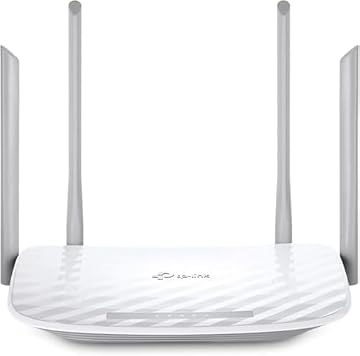
Physical distribution of radio frequency signals is governed by four high-performance fixed external antennas positioned directly on the router frame. The router is engineered to deliver nighthawk wifi 7 coverage across spaces reaching up to 2,000 square feet. This radius makes it well-suited for medium-sized single-family homes, multi-bedroom condominiums, and standalone home office suites where reliable signal penetration through standard interior walls is essential.
For properties featuring expansive multi-story layouts or dense concrete construction, signal degradation can occur naturally with any standalone unit. In scenarios requiring wider structural penetration, pairing a standalone network with a dedicated mesh system like the netgear orbi 770 or exploring a distributed setup such as the tp link x55 may offer broader whole-home reach, whereas the RS90 concentrates its high-gain performance inside a unified 2,000 sq. ft. zone.
05 App-Based Management and Security Safeguards
Initial deployment and ongoing network maintenance are handled directly through the dedicated Nighthawk application on iOS and Android. The nighthawk rs90 setup procedure guides users step-by-step through physical cabling, modem handshakes, and SSID configuration. From the mobile dashboard, administrators can monitor active client devices, test line throughput speeds, configure isolated guest networks, and pause internet access to specific hardware profiles from any location with an active internet connection.
Security protocols on the platform are extensive. The router runs a proprietary NETGEAR firmware build based on Linux and supports both WPA2 and WPA3 wireless encryption. Hardware-level firewall protection is permanently active right out of the box, supplemented by automatic background firmware updates to defend against newly discovered vulnerabilities. Additionally, the unit includes a 30-day trial of NETGEAR Armor, providing an extra software barrier against malware, intrusive hackers, and identity theft across every connected node.
03 Specs
| Attribute | Detail |
|---|---|
| Wi-Fi Generation | WiFi 7 (802.11be) |
| Frequency Band Class | Dual-Band (2.4 GHz and 5 GHz) |
| Maximum Speed | Up to 3.6 Gbps (3600 Mbps) |
| Maximum WAN Speed | 2.5 Gbps (2500 Mbps) |
| Ethernet LAN Ports | 4 x 1 Gbps (1000 Mbps) |
| Coverage Area | Up to 2,000 sq. ft. |
| Device Capacity | Up to 50 connected devices |
| Processor | Quad-core 2.0 GHz |
| Antennas | 4 fixed external antennas |
| Security Protocols | WPA2, WPA3, Hardware Firewall, Advanced Router Protection |
| Operating System | NETGEAR firmware (Linux-based) |
| Operating Voltage | 12V DC |
04 NETGEAR Nighthawk RS90 Pros and Cons
Pros
- Dedicated 2.5 Gbps multi-gig WAN port
- Dual-band WiFi 7 speeds up to 3.6 Gbps
- High-performance quad-core 2.0 GHz processor
- Covers up to 2,000 sq ft for 50 devices
- Automatic firmware updates and built-in firewall
Cons
- LAN ports limited to 1 Gbps speeds
- Lacks 6 GHz wireless frequency band
- NETGEAR Armor requires subscription after 30-day trial
05 Best Use Cases
- Busy remote professionals who require an uninterrupted connection for multi-party video conferencing, enterprise cloud backups, and large media uploads.
- Modern smart homes operating up to 50 concurrent smart appliances, security cameras, mobile devices, and entertainment hubs.
- Subscribers of fiber or gigabit-plus broadband services looking to utilize their internet connection via a 2.5G WAN input.
- Multi-device households that need low-latency dual-band management to prevent gaming and media streaming from interfering with one another.
06 Before You Buy
Before purchasing the netgear nighthawk rs90, ensure your existing physical internet service infrastructure matches its technical requirements. This is a standalone wireless router, meaning it does not incorporate an integrated cable, DSL, or fiber modem. It requires an active internet modem or gateway equipped with a standard RJ45 Ethernet port. If you currently use a modem-router combination unit supplied by your internet service provider, you may need to configure that provider device into bridge mode to prevent IP conflicts. The router does not utilize coaxial cable inputs.
Prospective buyers should also review the physical ports and feature inclusions. While the router features a 2.5 Gbps WAN port to ingest multi-gigabit connections, all four outgoing LAN ports operate at standard 1 Gbps speeds. Furthermore, the listing does not specify USB port connectivity for local network storage sharing, nor does it include a dedicated wall-mounting bracket. The unit includes a 30-day trial of NETGEAR Armor internet security, but continuing this comprehensive device protection after the initial trial requires a separate paid subscription.
07 How It Compares With Similar Picks
| Product | Best For | Key Difference |
|---|---|---|
| NETGEAR Nighthawk RS90 | Multi-gig broadband and modern WiFi 7 home offices | WiFi 7 standard, 3.6 Gbps speeds, 2.5G WAN input, quad-core 2.0 GHz processor |
| TP-Link AX1800 WiFi 6 Router (Archer AX21 V5) | Standard gigabit homes using WiFi 6 devices | WiFi 6 protocol, capped at 1.8 Gbps aggregate throughput, 1G WAN port |
| TP-Link AC1200 Gigabit Dual Band WiFi Router (Archer A6) | Basic internet plans requiring physical gigabit LAN ports | Legacy WiFi 5 (802.11ac) standard with 1.2 Gbps maximum dual-band speed |
| TP-Link AC1200 WiFi Router Dual Band Wireless Internet Router (Archer A54) | Budget setups with internet speeds below 100 Mbps | Limited to 10/100 Mbps Fast Ethernet ports, lacks gigabit backhaul interfaces |
Choosing between these platforms comes down to your subscribed internet tier and client device capabilities. If you maintain a high-speed fiber connection over 1 Gbps, the NETGEAR Nighthawk RS90 is the only option listed here that provides a 2.5 Gbps WAN interface to ingest those speeds. For users with basic broadband speeds below 100 Mbps, an entry-level unit like the Archer A54 functions adequately, while standard gigabit users may look toward WiFi 6 hardware. Those evaluating compact enterprise alternatives might also investigate devices like the unifi express 7 ux7, but the RS90 stands out as a focused consumer standalone platform with integrated multi-gig WAN.
08 Bottom Line
So, is nighthawk wifi 7 worth it for the typical home office? For users with internet connections exceeding standard gigabit speeds who need to eliminate congestion across dozens of devices, the investment is practical and sound. The NETGEAR Nighthawk RS90 avoids unnecessary feature bloat while delivering essential next-generation protocol upgrades, high-capacity quad-core performance, and robust native firewall security.
By streamlining wireless traffic through MU-MIMO and OFDMA on the 802.11be standard, this router provides a dependable foundation that will easily support your personal computers, smartphones, and entertainment centers for years to come. It represents a sensible, high-value transition into modern WiFi 7 connectivity.
09 FAQ
Can the NETGEAR Nighthawk RS90 replace my internet provider modem?
No. The NETGEAR Nighthawk RS90 is a standalone router, not a modem. It requires an active connection via an RJ45 Ethernet cable to an external cable modem, fiber ONT, DSL, or satellite gateway. If your provider supplied a combined modem-router gateway, that device will likely need to be set to bridge mode so the Nighthawk handles routing operations.
Is the NETGEAR Nighthawk RS90 suitable for online gaming?
Yes. When assessing the nighthawk wifi 7 for gaming, the router offers four dedicated 1 Gbps Ethernet ports for hardwired console and PC connections. Over the air, the integration of WiFi 7 OFDMA and MU-MIMO reduces packet latency and queuing delays, ensuring stable in-game ping times even when other family members stream high-definition video.
Does the router support older wireless devices?
Yes. The 802.11be protocol is fully backward compatible. Devices operating on WiFi 6, WiFi 5, or older legacy standards will connect seamlessly to the 2.4 GHz and 5 GHz frequency bands alongside modern WiFi 7 hardware.
Is a subscription required to operate the router?
No. Core routing functions, the Nighthawk mobile management app, automatic firmware updates, and the built-in hardware firewall work out of the box with no recurring fees. The NETGEAR Armor cybersecurity suite includes a 30-day free trial, after which continued use of that specific advanced protection requires an optional paid subscription.
How does the 2.5 Gbps WAN port benefit my home network?
Standard router WAN ports top out at 1000 Mbps (1 Gbps). If you subscribe to an internet service plan delivering 1.2 Gbps, 1.5 Gbps, or 2 Gbps, a standard port caps your intake. The 2.5 Gbps WAN port on the RS90 accommodates these faster broadband plans completely, routing the full capacity across your local wireless and wired clients.