As Amazon Associates, we earn from qualifying purchases. This means we may receive a small commission at no extra cost to you if you click through and make a purchase.

Workplace efficiency often breaks down when straightforward office equipment becomes needlessly complex. For legal practitioners, accounting professionals, corporate administrators, and home-based executives, wrestling with dropped wireless signals, complex network permissions, or multi-step driver utilities wastes valuable working time. The HP LaserJet M209d addresses this operational headache by focusing entirely on physical reliability, eliminating wireless network dependencies, and delivering rapid black-and-white documents straight to a local workstation. When an individual desk demands immediate, uninterrupted printing without network interference or shared print queues, a dedicated wired device provides a level of dependability that bloated multifunction hubs struggle to match.
Our evaluation indicates that this unit is a targeted, performance-oriented tool tailored for private offices and dedicated workstations where crisp typography, physical security, and automated double-sided throughput matter far more than color graphics or scanner beds. By combining a dense mechanical layout with swift paper travel, it serves professionals who need documents turned around immediately. If your daily routine requires a dependable monochrome laser printer auto duplex unit that stays connected without Wi-Fi dropouts, this compact desktop laser makes a compelling case for your workspace.
01 Quick Verdict
The HP LaserJet M209d delivers fast, reliable monochrome document production built specifically for single-workstation desks that demand immediate output without network latency.
- Prints up to 30 pages per minute to keep large multi-page reports moving efficiently.
- Features automatic two-sided printing to cut paper waste and speed up project turnaround.
- Provides a dedicated USB 2.0 connection with an included cable for immediate, secure setup.
- Fits compact desk configurations with a 150-sheet input tray and quiet mechanical operation.
02 HP LaserJet M209d Features Explained
01 Wired Connection and Workstation Reliability
Network printers frequently introduce friction into busy offices through IP conflicts, wireless interference, and dropped signals during crucial work hours. Operating strictly as an hp m209d usb printer, this model relies on a physical USB 2.0 interface connecting straight to a PC or laptop. This tethered architecture removes network vulnerabilities, prevents rogue print jobs from remote devices, and provides an immediate data link that initiates jobs without Wi-Fi handshakes. For professionals working with sensitive client documentation, financial audits, or privileged correspondence, keeping the data pathway physically restricted to a single desk represents a significant security advantage.
The physical installation process reflects this streamlined design. The hp m209d setup requires no mobile pairing procedures, wireless passphrase exchanges, or network authentication handshakes. HP includes the necessary USB cable directly in the packaging, eliminating the common frustration of unboxing hardware only to discover missing connection components. Once plugged into a compatible PC or laptop, the printer establishes direct communication, allowing busy operators to start processing print queues within moments of unboxing. While design departments might invest in specialized fabrication gear like the bambu lab a2, standard desk operations thrive on this kind of immediate, tethered simplicity.
02 Two-Sided Performance and Document Throughput
Document turnaround time directly influences workplace productivity, particularly when managing multi-page briefs, legal pleadings, or accounting ledgers. The hp laserjet m209d duplex printing engine functions automatically, reversing sheets internally to imprint both sides without manual user intervention. The manufacturer notes this unit delivers the fastest in-class two-sided printing speed, making it exceptionally proficient at reducing document bulk while producing clean, professional two-sided packets. By automating this workflow, the printer cuts down manual handling and minimizes paper consumption across routine operational tasks.
Single-sided performance is equally responsive. Reviewing the hp laserjet m209d print speed reveals a maximum output rate of up to 30 pages per minute. Operating at 600 x 600 dpi resolution, the laser engine renders sharp, high-contrast black text that remains pristine and smudge-free even under aggressive highlighter use. Just as precision modeling environments select specialized tools such as the elegoo mars 5 for exacting tolerances, document-heavy desks require an engine tuned explicitly for high-contrast linework and typography that will not bleed or feather.
03 Compact Footprint and Paper Handling Capacity
Desktop real estate is a finite asset in any professional environment. Measuring 13.98 inches deep, 8.07 inches wide, and 11 inches high, the machine features an award-winning compact design that occupies minimal desk space. Deploying the hp laserjet m209d for home office environments allows users to maintain an organized, uncluttered workspace without sacrificing print throughput. The chassis also emphasizes quiet operation, dampening mechanical noise so that high-volume output runs do not disrupt telephone consultations, video conferences, or concentrated reading sessions.
Paper management is handled through a single 150-sheet input tray that accepts standard plain paper up to 8.5 x 14 inches in size. This capacity allows standard legal and letter document creation while supporting continuous operation across typical daily workloads. The device incorporates a touch-enabled control method accompanied by an LCD display and smart-guided buttons. These contextual indicators illuminate only the necessary controls during operation, providing intuitive feedback during status checks or paper reloading cycles without forcing the user to navigate complicated menu hierarchies.
04 Cartridge Architecture and Chip Authentication
Maintaining predictable print quality over time requires consistent toner delivery and dependable cartridge engineering. The monochrome laser system produces deep, uniform blacks designed to remain legible over years of record storage. Users considering long-term consumable maintenance must take note of hp laserjet m209d cartridge compatibility guidelines. This printer is engineered to work strictly with cartridges containing original HP chips or circuitry. The listing explicitly states that the machine will actively block cartridges that utilize non-HP chips or third-party electrical circuits, maintaining this security enforcement through periodic firmware updates delivered over time.
This dynamic security protocol ensures that internal hardware components interact solely with authenticated toner containers, protecting internal rollers and the fuser unit from potential defects associated with unverified housings. However, this restriction requires businesses to plan their supply procurement solely around authentic cartridges to avoid unexpected print disruptions. When evaluating whether the is hp laserjet m209d worth it for your specific operational budget, factoring in authenticated supply chains alongside its high print velocity is critical for realistic long-term planning.
03 Specs
| Attribute | Detail |
|---|---|
| Printer Technology | Laser |
| Output Type | Monochrome (Black and White) |
| Maximum Print Speed | Up to 30 pages per minute |
| Duplex Printing | Automatic two-sided |
| Maximum Print Resolution | 600 x 600 dpi |
| Input Sheet Capacity | 150 sheets (1 input tray) |
| Maximum Media Size | 8.5 x 14 inches (Legal) |
| Connectivity Interface | USB 2.0 (cable included) |
| Display and Controls | LCD with touch and smart-guided buttons |
| Dimensions (D x W x H) | 13.98″ x 8.07″ x 11″ |
04 HP LaserJet M209d Pros and Cons
Pros
- Fast print speeds up to 30 ppm
- Automatic two-sided printing built in
- Reliable wired USB 2.0 connection
- USB cable included in package
- Space-saving compact desktop footprint
- Crisp 600 x 600 dpi text resolution
Cons
- No wireless or mobile network printing
- Print only with no scan or copy
- Blocks cartridges without original HP chips
05 Best Use Cases
- Drafting legal contracts, affidavits, and case files where automatic two-sided formatting and rapid turnaround are critical.
- Handling executive workstation printing in private offices requiring a direct physical USB connection for client confidentiality.
- Generating daily shipping manifests, invoices, and packing slips from a single PC terminal without network dependencies.
- Managing high-volume monochrome document workflows in quiet home study spaces where compact footprint and low noise are priorities.
06 Before You Buy
Reviewing the hp laserjet m209d specs reveals clear hardware boundaries that prospective purchasers should evaluate against their daily workflow. This device is strictly a print-only monochrome unit engineered to connect to laptops and PCs via USB 2.0. It does not feature built-in Wi-Fi, Ethernet connectivity, or wireless mobile printing capabilities. While the inclusion of the USB cable ensures immediate out-of-the-box physical connectivity, users who need to dispatch jobs from smartphones, tablets, or multiple independent computers across a wireless network will find this hardware incompatible with those operational habits. The listing does not specify detailed operating system version cutoffs, so confirming your workstation host OS compatibility before setup is prudent.
Supply management is another crucial factor to weigh before acquiring the machine. Because the device is firmware-locked to function solely with cartridges carrying authentic HP chips or circuitry, third-party unchipped clone cartridges cannot be utilized. The listing does not specify the page yield of the included starter toner cartridge, nor does it specify the precise maximum monthly duty cycle beyond an estimated copy run capacity of 1 to 999 sheets. Those who require integrated flatbed scanning, optical copying, color printing, or third-party consumable flexibility will need to look toward multifunction alternatives.
07 How It Compares With Similar Picks
| Product | Best For | Key Difference |
|---|---|---|
| HP LaserJet M209d | Dedicated desktop monochrome documents | High-speed monochrome laser with automatic duplex and USB-only tethering |
| Cost Efficient Multi-Function Photo Printer | General household color printing, scanning, and copying | Wireless inkjet architecture offering print, scan, and copy functions |
| Canon PIXMA TS6520 Wireless Color | Multi-purpose home workspaces needing visual feedback | Color inkjet multi-function featuring a 1.42-inch OLED display and duplex |
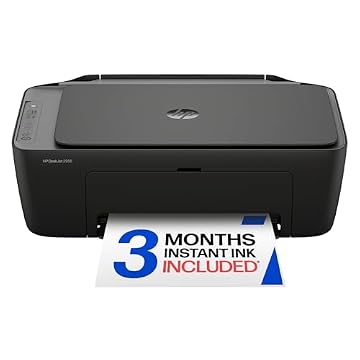
| HP DeskJet 2955 Wireless All-in-One | Basic domestic color printing with trial ink options | Wireless all-in-one inkjet unit supporting scan and copy workflows |
Choosing an alternative model is advisable whenever your routine office duties extend beyond black-and-white text. If your workflow necessitates digitizing paper documents, reproducing ID cards, or printing vibrant color presentations, a multi-function inkjet like the hp envy 6155e wireless all-in-one color inkjet printer, portobello, print, scan, copy, duplex printi or the Canon PIXMA alternatives listed above provides necessary versatility. Conversely, if you produce strictly text-heavy documentation and value swift pages-per-minute throughput without inkjet head clogging or wireless connection dropped packets, the HP LaserJet M209d remains the superior dedicated performer.
08 Bottom Line
The HP LaserJet M209d excels by delivering focused, distraction-free execution. By foregoing complex wireless radios and bulky scanning assemblies, it directs all its engineering toward rapid 30 ppm print speeds, crisp monochrome typography, and reliable automatic two-sided sheet feeding. Its compact footprint ensures it integrates seamlessly into crowded desks, while its physical USB connection provides instantaneous operational readiness without network management overhead.
While the requirement for authentic HP-chipped cartridges and the absence of wireless or color printing limit its flexibility, these trade-offs are intentional design choices rather than design oversights. For professionals who demand an unfussy, dedicated desktop companion that prints clean contracts and reports the second the command is sent, this monochrome laser workhorse delivers exceptional utility.
09 FAQ
Does the HP LaserJet M209d support wireless Wi-Fi printing?
No. The HP LaserJet M209d is engineered strictly as a wired device. It connects to host laptops and PCs exclusively via a USB 2.0 interface. The listing does not specify any onboard Wi-Fi, Bluetooth, or Ethernet hardware, making it dedicated to single-computer desktop installations.
Is a USB connection cable included in the box?
Yes. The manufacturer includes a dedicated USB cable inside the box along with the printer, enabling immediate physical setup without requiring extra accessory purchases.
Can I use third-party compatible toner cartridges in this printer?
The listing explicitly specifies that this printer works only with cartridges containing original HP chips or circuitry. Cartridges utilizing non-HP chips or modified circuits are blocked by the internal hardware, and periodic firmware updates maintain this enforcement.
Does this model support automatic double-sided printing?
Yes. The HP LaserJet M209d features integrated automatic duplex printing, allowing it to imprint both sides of a page without manual sheet flipping, maximizing workflow efficiency and reducing paper usage.
Can the HP LaserJet M209d scan or copy documents?
No. This unit is built as a print-only device. It does not contain an integrated flatbed scanner, optical glass, or automatic document feeder, meaning all digitization or scanning tasks must be performed by dedicated scanning hardware.