As Amazon Associates, we earn from qualifying purchases. This means we may receive a small commission at no extra cost to you if you click through and make a purchase.

Small commercial facilities and growing businesses frequently face significant operational friction when implementing on-premises video surveillance. Balancing network throughput, device compatibility, storage sizing, and camera provisioning often requires sourcing disparate hardware components, leading to configuration headaches and ongoing administrative overhead. Sourcing standalone network video recorders, unverified surveillance drives, and individual security cameras introduces interoperability risks that consume valuable administrative hours. The UniFi Protect NVR Instant Kit directly tackles this procurement friction by bundling a dedicated NVR unit, four G5 Turret Ultra cameras, and an integrated 1TB hard drive into a unified hardware bundle. Developed by Ubiquiti Networks, this four-channel turnkey package delivers an integrated physical security footprint tailored for modern Ethernet-connected business environments.
When deciding whether this all-in-one surveillance bundle fits your organization, network topology and operational scalability are the primary factors to evaluate. Deploying ubiquiti unifi protect hardware allows businesses to maintain complete physical custody of security recordings without recurring cloud subscription tiers, but the hardware demands specific network prerequisites to operate properly. For IT directors and commercial facility managers managing an existing local network, this system represents a streamlined path to professional IP monitoring, provided your underlying switching infrastructure satisfies the manufacturer’s network prerequisites.
01 Quick Verdict
The UniFi Protect NVR Instant Kit delivers a fast, cohesive surveillance deployment for small commercial operations needing an immediate physical security footprint. By packaging a dedicated 4-channel recorder, four matched turret cameras, and local HDD storage into a single procurement SKU, it removes the guesswork of custom system builds while providing reliable local video retention.
- All-in-one hardware package containing an NVR, four G5 Turret Ultra cameras, and a 1TB hard drive.
- Dedicated 4-channel IP input video recording architecture over standard Ethernet infrastructure.
- Local on-premises video storage that eliminates recurring cloud subscription and hosting fees.
- Requires an upstream gateway or Layer 3 network switch connection to facilitate device communication.
02 UniFi Protect NVR Instant Kit Features Explained
01 Turnkey UNVR-Instant-Kit Deployment Bundle
Procuring enterprise video surveillance hardware often involves juggling multiple vendor part numbers, matching camera protocols, and verifying hard drive firmware compatibility. The UNVR-Instant-Kit model solves this procurement friction by delivering a matched, complete hardware package under a single product count. Including one NVR unit, four G5 Turret Ultra cameras, and a 1TB hard drive, the bundle is engineered to deploy rapidly without multi-vendor troubleshooting. For organizations implementing unifi protect for small business operations, having all baseline surveillance components arrive together ensures that camera mounting, cabling, and recording initialization occur in a single operational window.
This unified hardware packaging significantly simplifies inventory management for multi-site commercial rollouts. Facility managers can deploy identical four-channel hardware bundles across satellite offices, branch locations, or independent storefronts, establishing standardized equipment footprints. If your organization is also considering broader ecosystem hardware such as the standalone ubiquiti g5 turret ultra units for existing networks, starting with an integrated kit guarantees that the initial core recorder and optical endpoints function together without software compatibility conflicts.
02 Dedicated 4-Channel IP Input Video Processing
Network video surveillance performance depends heavily on processing consistency. Unlike virtualized surveillance servers or software running on general-purpose NAS appliances, the UniFi Protect NVR Instant Kit provides a dedicated recording appliance configured specifically for four IP input channels. Each channel connects via Ethernet, routing digital video streams directly to the recording engine. This dedicated hardware allocation isolates surveillance traffic from standard office data tasks, ensuring sustained throughput and eliminating frame drops caused by server resource contention.
Operating across four dedicated channels establishes a balanced coverage perimeter for compact commercial buildings. By focusing specifically on a four-camera capacity, the NVR maintains optimal stream handling without the processing overhead or complex channel licensing found in higher-density commercial recorders. Ethernet connectivity ensures that video data traverses standard structured cabling, maintaining signal integrity over standard enterprise cable distances while facilitating predictable throughput across the local area network.
03 Pre-Installed 1TB Hard Drive Storage
Local video retention is an essential requirement for organizations prioritizing operational privacy and data sovereignty. The UniFi Protect NVR Instant Kit features a 1TB hard drive using standard HDD media format for all digital video storage. Incorporating an integrated unifi protect 1tb hard drive directly inside the NVR chassis removes the requirement for secondary storage procurement, disk drive formatting, or drive tray assembly during initial setup. Once connected to power and the local network, the internal drive is ready to store continuous or event-triggered video streams immediately.
While a 1TB storage drive provides ample local storage capacity for standard operational windows, storage retention duration is strictly bounded by the four-channel workload. Continuous high-bitrate video ingest from all four cameras writes data sequentially to the HDD platters. Depending on camera activity levels, scene complexity, and operational recording modes, the 1TB capacity will cycle through its storage allocation as older footage is overwritten. For busy environments with constant foot traffic, system administrators must evaluate retention requirements against the physical 1TB ceiling.
04 The Layer 3 Switch and Gateway Architecture Requirement
A pivotal technical specification highlighted in the manufacturer documentation is that the kit needs a Gateway or Layer 3 switch connection. In commercial computer networks, Layer 2 switches only process traffic based on MAC addresses within a single local broadcast domain, whereas Layer 3 switches and network gateways perform IP routing between distinct subnets and VLANs. The unifi protect layer 3 switch requirement indicates that the NVR and camera ecosystem relies on structured network routing capabilities to communicate across subnets, adopt devices, and interface with viewing clients or remote administration portals.
Meeting this network prerequisite requires planning your unifi protect setup around your existing switching fabric. If a facility operates on an unmanaged or basic Layer 2 switch without an upstream gateway handling routing and DHCP services, the NVR and IP cameras cannot properly establish communication. Conversely, businesses that have already built their network core around managed switching or enterprise routing gear—often paired with enterprise wireless solutions like the ubiquiti access point u7 pro—can integrate the kit directly into their existing VLAN topology without purchasing supplemental routing appliances.
05 Ecosystem Compatibility and Lifecycle Considerations
Operating within the proprietary Ubiquiti Networks environment provides seamless administrative oversight through unified management consoles. System administrators can configure recording schedules, inspect network link states, and adjust device settings from a centralized interface. However, adhering to this ecosystem model requires committing to compatible hardware endpoints. The listing specifically designates camera compatibility for IP input processing, meaning the NVR functions as an integrated ecosystem appliance rather than an open-platform video recorder accepting arbitrary third-party CCTV feeds.
Prospective buyers must also account for hardware lifecycle and maintenance timelines. According to the manufacturer listing specifications, software update support to date is unknown. While Ubiquiti actively maintains its core Protect platform, commercial enterprises requiring documented software support guarantees or specific compliance support lifecycles should note this specification before finalizing capital expenditure approvals.
03 Specs
| Specification | Detail |
|---|---|
| Brand | Ubiquiti Networks |
| Model Number | UNVR-Instant-Kit |
| Bundled Components | 1 NVR unit, 4 G5 Turret Ultra cameras, 1TB hard drive |
| Number of Channels | 4 channels |
| Hard Drive Capacity | 1 TB |
| Media Storage Format | HDD (Digital Video) |
| Connectivity Technology | Ethernet |
| Video Input Type | IP Input |
| Network Prerequisites | Needs a Gateway or Layer 3 switch connection |
| Compatible Devices | Camera |
| Software Update Support | Unknown |
04 UniFi Protect NVR Instant Kit Pros and Cons
Pros
- Complete bundle with NVR, cameras, and 1TB storage
- Dedicated four-channel IP video recording engine
- Integrated 1TB hard drive avoids drive mounting
- Local surveillance retention without recurring subscriptions
- Reliable Ethernet connectivity across all endpoints
Cons
- Requires a gateway or Layer 3 switch connection
- Hardware capacity capped at four video channels
- Software update support timeline listed as unknown
05 Best Use Cases
- Single-story retail shops requiring four Ethernet-connected cameras to cover the checkout register, customer entrance, rear emergency exit, and merchandise stockroom.
- Professional service offices seeking complete local video data custody on a 1TB hard drive without incurring ongoing monthly cloud subscription costs.
- Branch facilities and satellite workspaces that already utilize a managed Ubiquiti gateway or Layer 3 network switch infrastructure.
- Commercial facilities wanting a pre-bundled surveillance package to avoid component compatibility verification and streamline multi-device procurement.
06 Before You Buy
Before moving forward with procurement, carefully evaluate your local network switching infrastructure against the manufacturer’s explicit requirements. The listing clearly establishes that this hardware needs a Gateway or Layer 3 switch connection to function properly within your local environment. Deploying this system into a network environment that relies entirely on unmanaged, unrouted Layer 2 switches will impede device discovery, inter-VLAN routing, and administrative access. When reviewing unifi protect specs, ensure that your core network topology includes either a dedicated security gateway or a Layer 3 routing switch capable of managing IP routing between your surveillance hardware and local client endpoints.
Additionally, buyers should verify peripheral equipment and installation accessories, as the listing does not detail several practical deployment items. While the kit includes the primary NVR unit, four G5 Turret Ultra cameras, and a 1TB hard drive, the listing does not specify whether Power over Ethernet (PoE) switches, standalone PoE injectors, or structured Ethernet cables are included in the retail box. Furthermore, the listing does not specify the exact camera optical resolution, viewing angle dimensions, frame rates, or environmental IP weatherproofing ratings. If you anticipate expanding your installation in the future with upcoming optical generations like ubiquiti g6 security cameras, remember that this recorder architecture is fixed at four total channels.
07 How It Compares With Similar Picks
| Product | Best For | Key Difference |
|---|---|---|
| UniFi Protect NVR Instant Kit | Managed commercial networks | 4-channel IP system with 4 G5 Turret Ultra cameras and 1TB HDD requiring a gateway or Layer 3 switch. |
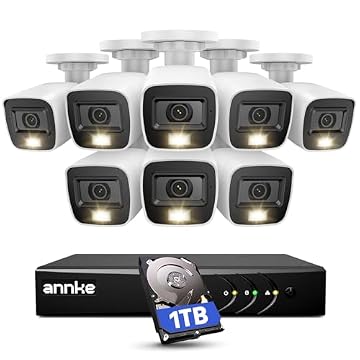
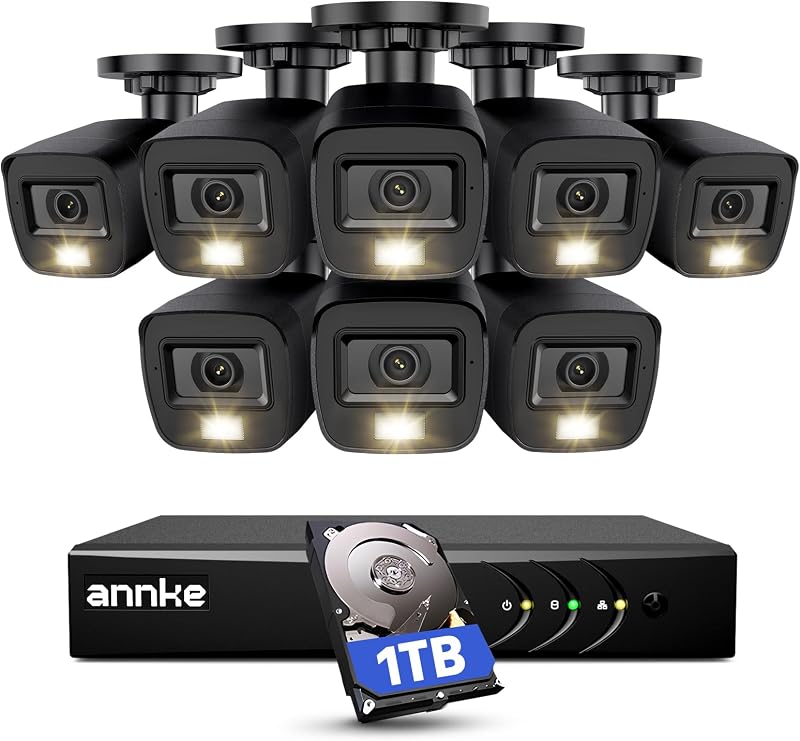
| AI Human Vehicle Detection | High-density wired outdoor security | 8-channel H.265+ DVR system bundled with 8 2MP IP67 outdoor cameras, smart dual lighting, and a 1TB HDD. |
| Blink Video Doorbell | Wire-free residential monitoring | Wireless battery-powered 3-camera system plus video doorbell utilizing Sync Module Core instead of an NVR. |
| H.265+ 8 Channel Surveillance DVR | Multi-zone analog CCTV setups | 8-channel DVR package including 8 1080p outdoor cameras, color night vision, and an integrated 1TB hard drive. |
Selecting the proper security platform depends entirely on your wiring infrastructure, channel count requirements, and network topology. While the UniFi Protect NVR Instant Kit is tailored specifically for structured Ethernet IP networks with managed routing, organizations requiring wider physical perimeter coverage across eight monitoring zones should consider wired multi-camera alternatives such as the AI Human Vehicle Detection system or the H.265+ 8 Channel Surveillance DVR, both of which provide eight cameras and eight-channel recording appliances with 1TB drives. On the other hand, properties without structured Ethernet cabling or enterprise network hardware will find a simpler, non-invasive installation in wireless alternatives like the Blink Video Doorbell bundle, which eliminates physical cabling runs entirely in favor of battery operation.
08 Bottom Line
The UniFi Protect NVR Instant Kit provides a clean, well-integrated surveillance hardware package for businesses ready to deploy professional IP video monitoring without recurring software licensing fees. By unifying a dedicated 4-channel NVR, four G5 Turret Ultra cameras, and a 1TB hard drive under a single SKU, it removes the complexity of sourcing mismatched components and ensures immediate out-of-the-box readiness for Ethernet networks.
Determining whether is unifi protect worth it for your business comes down to your networking environment. If your physical facility requires up to four monitoring angles and your existing infrastructure already contains a compatible network gateway or Layer 3 switch, this turnkey bundle offers an efficient, highly cohesive security solution. Conversely, if your building lacks structured Ethernet cabling, operates on basic unmanaged switches, or requires more than four recording channels, evaluating a higher-capacity wired platform or a wireless system will be a more practical path forward.
09 FAQ
Does the UniFi Protect NVR Instant Kit require recurring subscription fees?
No. The UniFi Protect NVR Instant Kit records directly to its internal 1TB hard drive, storing video locally on your premises. Because footage is retained on the local NVR hardware, the system does not require monthly cloud storage subscriptions or continuous recurring licensing fees to maintain operational recording.
Why does the kit require a gateway or Layer 3 switch connection?
The manufacturer listing states that the kit needs a Gateway or Layer 3 switch connection to handle IP routing and communication between network segments. In commercial networks, Layer 3 routing devices manage traffic across VLANs, assign network addressing, and facilitate communication between the NVR, the IP cameras, and administrative viewing stations.
How much video footage can the included 1TB hard drive store?
The NVR includes a 1TB hard drive using standard HDD digital video media formatting across four IP input channels. Total retention time depends entirely on recording modes, whether cameras record continuously or on motion events, and scene activity, with the system automatically overwriting the oldest footage once disk capacity is exhausted.
Can more than four cameras be connected to this NVR?
The official specifications list the kit as a 4-channel system with IP video input designed specifically for the four included G5 Turret Ultra cameras. Organizations requiring more than four optical endpoints must expand their infrastructure with a higher-capacity network video recorder rather than adding channels beyond the four-channel limit of this unit.
Does the listing specify whether Power over Ethernet injectors are included?
The listing does not specify whether PoE injectors, a PoE switch, or Ethernet patch cables are provided inside the box. While the system operates over Ethernet connectivity, administrators should prepare a compatible PoE power source or verify their switch PoE budget prior to installing the cameras.