As Amazon Associates, we earn from qualifying purchases. This means we may receive a small commission at no extra cost to you if you click through and make a purchase.

For remote professionals and home office operators, document bottlenecks disrupt focus and waste valuable working hours. Between finalizing formal agreements, printing multi-page briefing packets, and digitizing records, a sluggish or temperamental desktop printer adds unnecessary friction to an already packed workday. The Epson Expression Home XP-5200 is engineered to address these pain points directly by bringing advanced commercial printhead engineering into an ultra-compact desktop package tailored for individual workstations.
In this concise evaluation, our verdict is decisive: the machine delivers impressive everyday document output, responsive mobile management, and valuable media efficiency. For busy users seeking a dependable unit that produces sharp text alongside vibrant borderless graphics without consuming half an executive desk, the Epson Expression Home XP-5200 for home office duties is a capable and disciplined contender.
01 Quick Verdict
The Epson Expression Home XP-5200 is Epson’s fastest Expression Home model to date, designed to tackle everyday administrative tasks with minimal manual intervention. It pairs professional-grade output clarity with practical media handling, making it an efficient companion for solo entrepreneurs, remote executives, and compact work environments.
- PrecisionCore heat-free printhead produces laser-like black text and vibrant borderless photographic prints
- Standard automatic two-sided printing cuts office paper waste and automates double-sided documents
- Dedicated 150-sheet front paper tray handles demanding multi-day workloads between reloads
- Straightforward Epson Smart Panel mobile workflow paired with a full-color 2.4-inch navigation panel
02 Epson Expression Home XP-5200 Features Explained
01 PrecisionCore Print Quality and Heat-Free Reliability

At the center of the hardware architecture is Epson xp-5200 PrecisionCore technology. Unlike conventional thermal inkjet systems that rely on high heat to force ink through microscopic nozzles, Epson utilizes a permanent piezo-driven printhead engineered to last the entire lifespan of the printer. This heat-free system maintains continuous nozzle consistency, resulting in ultra-crisp black typography for client-ready correspondence, legal forms, and spreadsheets without blurred line edges or ink bleeding.
Beyond standard administrative documents, this printhead setup excels when processing color-rich collateral and borderless imagery. Creative project briefs, visual presentations, and borderless photographic proofs emerge with clean tonal gradations and deep color saturation. Because the printhead does not experience thermal degradation over long sessions, users maintain predictable rendering quality across extensive runs.
02 Automated Duplexing and Paper Handling Efficiency
A major productivity advantage for fast-paced home offices is the inclusion of epson xp-5200 auto duplex printing. The machine automatically inverts sheets internally to print double-sided reports, eliminating the manual flipping errors and misfeeds that frequently derail administrative tasks. This automatic duplexing immediately reduces paper consumption, optimizing office supply usage while creating clean, booklet-ready deliverables.
Paper management is further supported by an integrated bottom-loading tray. With an epson xp-5200 paper capacity of 150 sheets of plain paper, workers avoid constant tray maintenance during busy weeks. Having a single high-capacity input slot enclosed within the body protects loaded media from stray desk dust and keeps paper flat, ensuring dependable feeding whether printing a one-page invoice or a 40-page technical memo.
03 Seamless Mobile Operation and Wireless Connectivity
Modern remote work relies on rapid routing of documents across smartphones, laptops, and tablets. The epson xp-5200 wireless setup links the printer directly to your local network infrastructure, enabling seamless wireless printing from Android and iOS mobile hardware. Through integration with the Epson Smart Panel application, users can initialize print jobs, check supply levels, monitor mechanical functions, and execute diagnostic maintenance directly from a smartphone screen.
For individuals who value streamlined operation, hands-free voice printing is supported through Alexa, Siri, and Google Assistant. This allows professionals to verbally trigger pre-formatted tasks, such as calendars or to-do lists, while finishing other duties. When operating directly from the physical chassis, navigation is handled through a clear 2.4-inch color LCD screen, allowing fast configuration adjustments without touching a computer.
04 Individual Ink Delivery and Document Scanning
Routine maintenance is managed through individual cartridges using the epson expression home xp-5200 ink replacement system. Rather than relying on tri-color tanks that force you to discard remaining ink when a single hue runs dry, this printer uses separate T222 cartridges for black, cyan, magenta, and yellow. You only replace the specific cartridge that is depleted, minimizing unnecessary resource waste over time.
On the capture side, the unit includes an integrated flatbed scanner managed through Epson ScanSmart scanning software. This software suite converts physical contracts, IDs, receipts, and client forms into searchable PDF files with optical text recognition. This turns physical desk paperwork into accessible digital archives with minimal post-scan processing.
03 Specs
| Attribute | Detail |
|---|---|
| Printer Type | Color All-in-One Inkjet |
| Dimensions (D x W x H) | 19.8 x 14.8 x 7.4 inches |
| Item Weight | 11.9 pounds |
| Paper Tray Capacity | 150 sheets (1 tray) |
| Maximum B&W Copy Speed | 14 pages per minute |
| Duplex Printing | Automatic 2-Sided (Auto-Duplex) |
| Scanner Type | Flatbed |
| Display | 2.4-inch Color LCD |
| Compatible Ink Cartridges | Epson Genuine T222 |
| Connectivity & Voice Support | Wireless, Android, iOS, Alexa, Siri, Google Assistant |
04 Epson Expression Home XP-5200 Pros and Cons
Pros
- PrecisionCore heat-free printhead delivers sharp text and graphics
- Integrated automatic two-sided printing saves time and paper
- Generous 150-sheet capacity enclosed paper tray
- Fast 14 ppm black-and-white copy performance
- Individual T222 ink cartridges reduce discarded ink waste
Cons
- Requires genuine Epson ink cartridges exclusively
- Flatbed scanner lacks an automatic document feeder
05 Best Use Cases
- Drafting formal business correspondence, contracts, and proposals requiring crisp black text and automatic double-sided formatting.
- Digitizing client signatures, receipts, and sensitive documents into searchable PDF files using the flatbed scanner and Epson ScanSmart.
- Producing borderless photographic mockups, marketing collateral, and colorful visual presentations on plain paper from a smartphone.
- Managing everyday household and administrative paperwork, including schedules, to-do lists, and homework, with quick 14 ppm copy speeds.
06 Before You Buy
Before finalizing your equipment selection, understand the specific cartridge ecosystem governing this unit. The printing system is engineered to function exclusively with genuine Epson T222 cartridges; non-genuine, remanufactured, or third-party ink supplies are not compatible and can cause operational issues or hardware damage not covered by the limited warranty. If your daily document output reaches hundreds of pages weekly, you may also want to compare running costs against dedicated tank systems such as the epson ecotank et-2800 wireless color all-in-one supertank printer or explore wider epson printers for home use eco tank options.
Prospective buyers should also review the physical specifications and hardware inclusions. The unit utilizes a flatbed scanner glass rather than an automatic document feeder, meaning multi-page physical document capture must be processed page by page. Additionally, the listing does not specify the inclusion of an external USB connection cable or exact initial cartridge page yields, so plan on connecting primarily via Wi-Fi and having a spare set of T222 cartridges on hand for uninterrupted workflow continuity.
07 How It Compares With Similar Picks
| Product | Best For | Key Difference |
|---|---|---|
| Epson Expression Home XP-5200 | Fast everyday home office printing | PrecisionCore heat-free engine, 150-sheet tray, auto 2-sided printing, and 14 ppm B&W copy speed. |
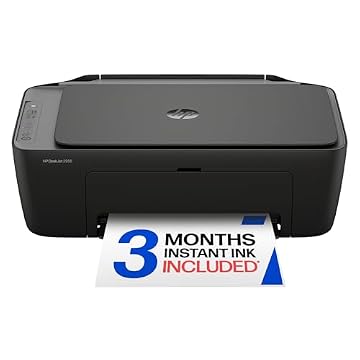
| HP DeskJet 2955 Wireless All-in-One | Basic entry-level home printing | Includes a 3-month trial of Instant Ink and AI-capable features geared toward lighter casual home tasks. |
| Cost Efficient Multi-Function Photo Printer | Budget-conscious photo projects | Emphasizes a compact multi-function body and simple setup for creative photo, scan, and copy tasks. |
| High-volume enterprise office work | Enterprise-grade HP Color LaserJet hardware built for fast laser print speeds and advanced corporate network security. |
When deciding among these alternatives, choose the HP DeskJet or the Canon PIXMA if your monthly printing is infrequent and limited to lightweight personal tasks. Conversely, if you run a demanding enterprise department that processes thousands of sheets per month, stepping up to the HP Color LaserJet enterprise model delivers the requisite heavy-duty cycle and advanced security protections. If you prefer high-capacity bottled ink over individual cartridges, reviewing the epson ecotank et-3850 wireless color all-in-one cartridge-free supertank printer with scanner, copie will provide perspective on cartridge-free operating styles.
08 Bottom Line
The Epson Expression Home XP-5200 succeeds by delivering business-grade printhead technology inside an organized, space-conscious desktop chassis. Its balance of 14 ppm copy speeds, automatic two-sided printing, and generous 150-sheet paper capacity makes it an exceptionally competent performer for the demands of modern remote professional work.
While high-volume print shops will miss having an automatic document feeder and supertank reservoir, individual professionals seeking crisp, dependable printouts and rapid smartphone scanning will find the XP-5200 a smart, low-maintenance asset for their home office.
09 FAQ
Does the Epson Expression Home XP-5200 support automatic double-sided printing?
Yes. The XP-5200 features built-in auto-duplexing, allowing it to automatically print on both sides of plain paper without requiring you to manually invert the pages.
Can you use third-party or refilled ink cartridges with this printer?
No. Epson explicitly designs this printing system to function exclusively with genuine Epson T222 cartridges. Other brands of ink cartridges or refill supplies are not compatible and may not function or could cause damage excluded from warranty coverage.
How does the Epson Expression Home XP-5200 setup process work?
The epson expression home xp-5200 setup is handled wirelessly through your smartphone or tablet using the Epson Smart Panel application, or directly from the printer using the integrated 2.4-inch color LCD display.
Which voice assistants work with the XP-5200?
The listing specifies hands-free voice printing compatibility with Alexa, Siri, and Google Assistant, allowing you to trigger supported printing tasks on the go.
What type of scanner is built into the Epson XP-5200?
The printer includes a flatbed scanner designed for digitizing single documents, photos, and receipts into searchable PDF files via the included Epson ScanSmart software.